Disclosure: Pricing, feature and user-count figures are as advertised by the vendors at the time of writing and may change — verify current terms on the vendor's own site before buying. Statistics, results and timelines described here are examples or vendor-reported figures, not promises: individual results vary and no tool can guarantee sales, leads or protection from Facebook account restrictions. Always follow Meta's Terms of Service and Commerce Policies.
Some cars sell on Facebook Marketplace within hours of being listed. Others sit for weeks without a single message. The difference is almost never the vehicle — it's the listing. Here's the exact 7-step formula top-producing salespeople use to move inventory fast.
Why Some Cars Sell in Hours and Others Sit for Weeks
Cars that sell fast share four characteristics: accurate market pricing, a compelling lead photo, a description that proactively answers buyer questions, and a seller who responds immediately. Miss any one and the algorithm shows your listing, buyers click, and something causes them to message someone else instead. This formula fixes all four simultaneously.
Step 1 — Price It Right From Day One
Check three sources before setting your price: Facebook Marketplace itself (search your exact vehicle in your zip code), CarGurus (Good/Great/Fair Deal indicators), and KBB private party value. Price within 5–10% of the lowest comparable listing in your area — not to negotiate against yourself, but so buyers filter you into their results. A car priced $2,000 above comparable listings won't get impressions. A car priced at market gets seen, messaged, and sold.
Step 2 — Lead Photo That Stops the Scroll
The lead photo is your only job in the algorithm. Buyers see a grid of thumbnails before they read a single word. Front 3/4 angle, natural light (overcast beats direct sun), clean vehicle, no background clutter, full car in frame. Shoot from slightly below bumper height — it makes the car look more dramatic and fills the frame. A custom banner overlay with your name or dealership adds instant professionalism.
Step 3 — Write a Description That Answers Every Question
Buyers message sellers to ask questions that should have been in the listing. Every question is a delay and a risk they message a competitor. Proactively answer: mileage and condition, accident history (mention clean Carfax if applicable), recent maintenance or new parts, tire condition, known issues (be honest — it builds trust), what's included, preferred contact. End with a low-friction CTA: "Message me to schedule a 60-second video walkaround or a test drive this week."
"The scraper alone is worth the price. Plug it in, hit post, walk away. My whole team uses it religiously now."
Step 4 — Post at the Right Time
Marketplace buyer activity peaks at three windows: 7–9am (commuters browsing), 12–1pm (lunch break shopping), and 7–10pm (evening research). Post new listings at the start of one of these windows to catch the algorithm at peak buyer activity. A listing posted at 7am Tuesday generates more first-day impressions than the same listing posted at 3pm Sunday.
Step 5 — Respond in Under 5 Minutes
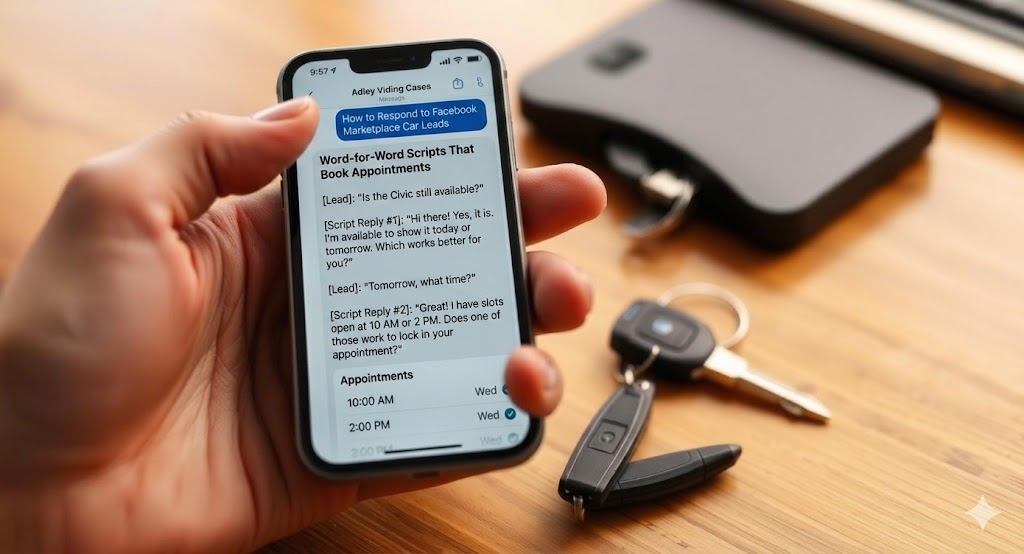
Turn on every Messenger notification. During business hours, treat every Marketplace message like a customer walking onto the lot. Respond with availability confirmation, one engaging qualifying question, and an invitation to see the car. The first 5 minutes after a message arrives are when the buyer is most engaged and least likely to have messaged anyone else.
Step 6 — Have a Virtual Walkaround Ready
Film a 60-second walkaround of every car when you list it. Keep it in your camera roll. The moment a buyer says "can I see more?" send the video immediately — don't schedule it, don't say "I'll get that to you tomorrow." The video eliminates the most common pre-appointment objection and significantly increases show rate.
Step 7 — Renew Every 7 Days Without Fail
Facebook's algorithm buries listings after 7–10 days. A listing that generated 5 messages in week one generates zero in week three if not renewed. Set a weekly calendar reminder, or use AutoLister Pro's auto-renew feature which handles it automatically across your entire inventory.
The Automation Shortcut
Steps 1, 3, 4, and 7 can be fully automated. AutoLister Pro sets your price from your inventory source, writes a unique AI description for every vehicle, posts at the time you choose, and auto-renews weekly. What's left for you: the lead photo (take it once), the response (be fast), and the walkaround video (film it when you list). Three human touches. Everything else on autopilot.
Want the deeper dive? our full AutoLister Pro review for the full breakdown of features, pricing, and dealer results.
Frequently Asked Questions
How fast can you sell a car on Facebook Marketplace?+
Properly priced and well-photographed vehicles often sell within hours. Most fast sales happen in the first 48 hours after listing.
What's the best time to list a car on Facebook Marketplace?+
Three peak windows: 7–9am, 12–1pm, and 7–10pm local time. Tuesday and Wednesday mornings consistently produce the strongest first-day impressions.
How do I get more messages on my car listing?+
Competitive price, front 3/4 lead photo in natural light, 8+ real images, and a description that answers every common question upfront.
Should I include the price in a Facebook Marketplace car listing?+
Yes — buyers filter by price, so listings without a competitive price field get hidden from the buyers most likely to convert.
Ready to put this into practice?
AutoLister Pro advertises 618+ users automating their Marketplace listings. Results vary.
Get Started NowAutoLister Pro Team
We help car salespeople and dealerships sell more by automating the boring parts of Facebook Marketplace. Tips, playbooks, and tools from the front lines of modern car sales.